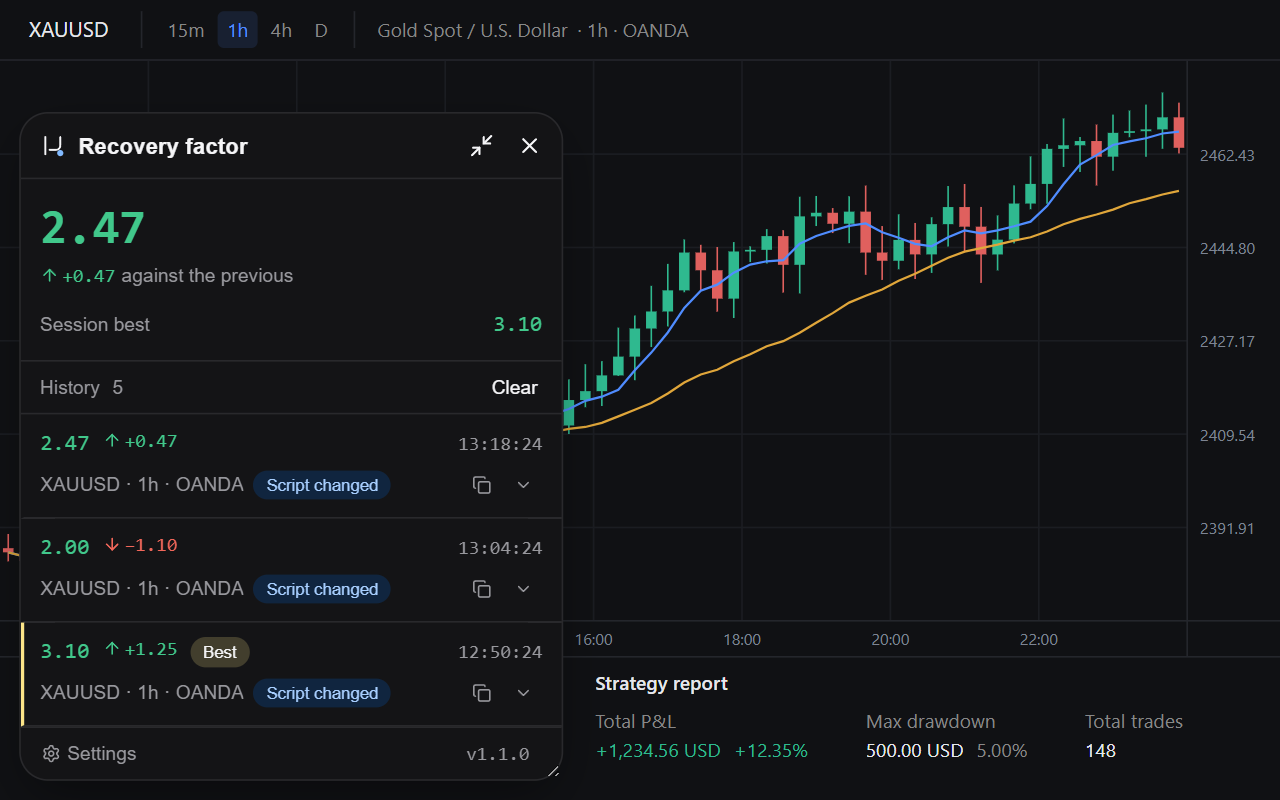
Put profit beside drawdown.
Recovery factor divides Total P&L by the absolute Max drawdown in your strategy report. See the ratio update as the report changes.
Total P&L / |Max drawdown| = Recovery factor
See your recovery factor right in TradingView. Compare backtest results and keep the Pine Script that was open when each result changed.
No Hookmode account needed. Your history stays in Chrome.
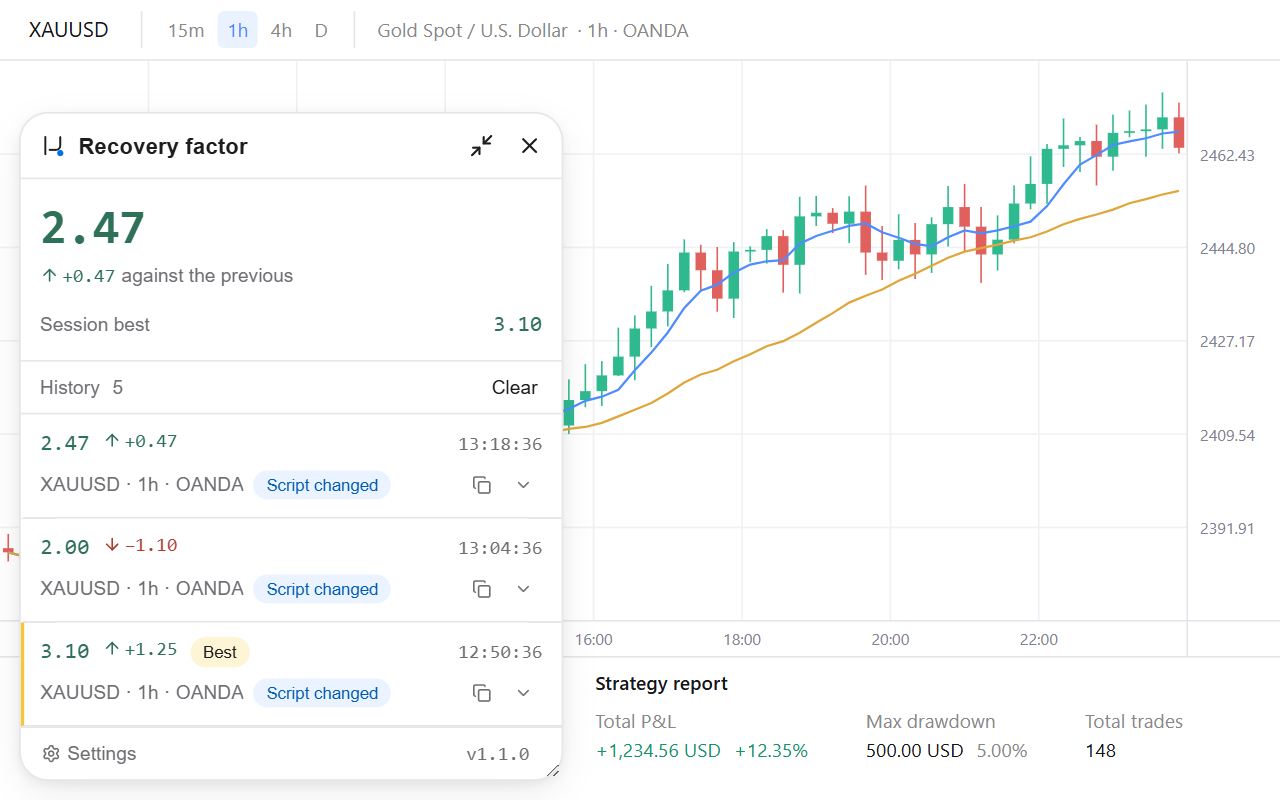
Recovery factor divides Total P&L by the absolute Max drawdown in your strategy report. See the ratio update as the report changes.
Total P&L / |Max drawdown| = Recovery factor
Revisit the last 20 changed ratios, with the time and chart context for each. Your session best stays saved when it leaves the recent list.
Separate histories by symbol, provider, and timeframe.
Keep your strategy open in the Pine editor. When the ratio changes, the extension saves the editor text with that result, ready to review or copy.
A closed editor means the result is saved without a script.
Install it from the Chrome Web Store, then open or reload your TradingView chart in desktop Chrome.
Keep Total P&L and Max drawdown available in the report. Open the matching strategy in the Pine editor to capture its code, too.
Run your updated backtest. A changed ratio adds a history entry. Expand the floating panel to compare results or copy a saved script.
The saved code is the text open in the editor at that moment. Apply your edits to the chart before comparing results.
The extension stores results, scripts, and preferences in Chrome on your computer. It has no server, makes no network requests, and includes no analytics.
It works independently of the Hookmode app and does not place trades. History survives a reload; older entries can be trimmed as local storage fills.